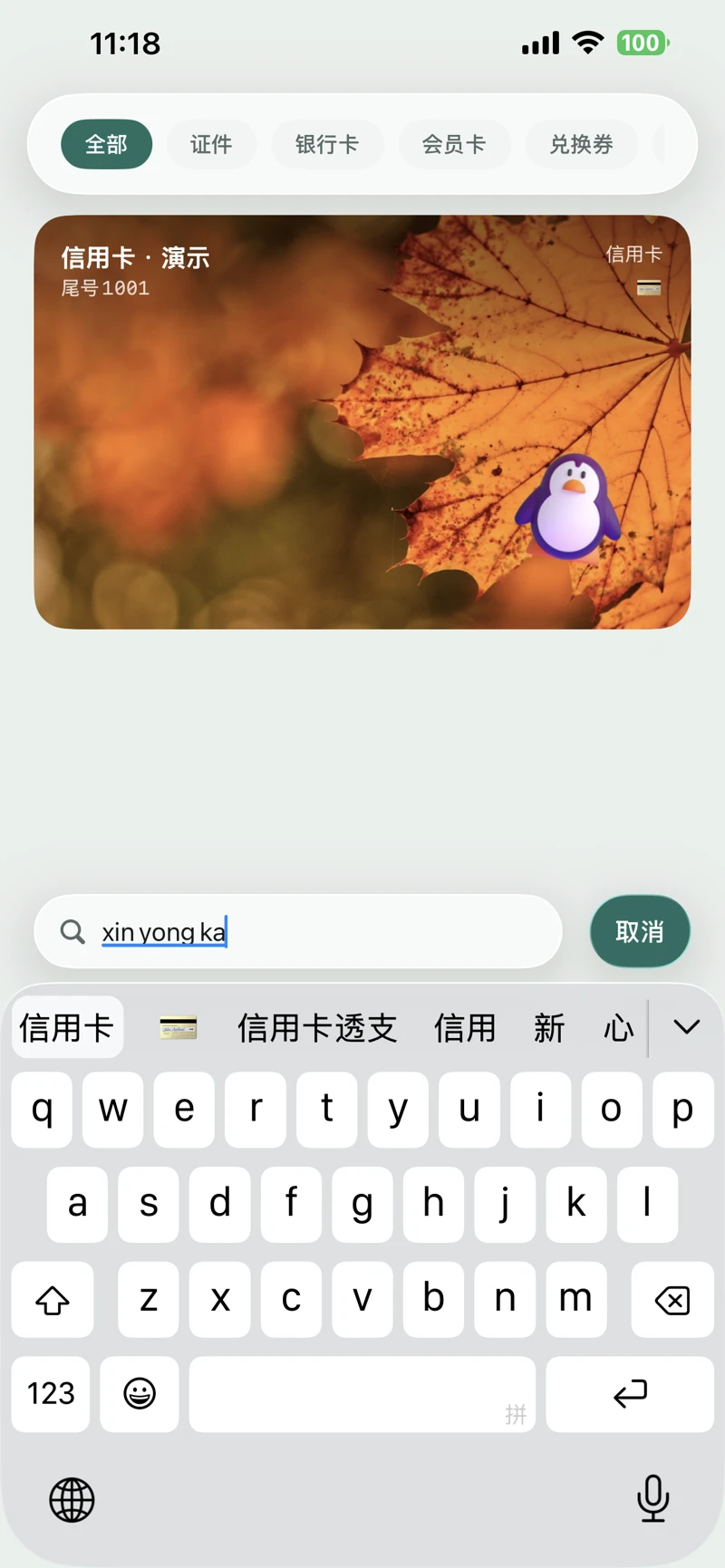
Find the card you need.
A clean interface puts your cards first.
Keep IDs, bank cards, and membership cards in a tidy stack. Tap to expand details, drag to reorder, or narrow the list by category and keyword to find the one you need.
 CardPouchCardPouch
Coming soon on iPhone
Keep IDs, bank cards, membership cards, and vouchers together. Add, recognize, and find your cards on your device, without an account.
A clean interface puts your cards first.
Keep IDs, bank cards, and membership cards in a tidy stack. Tap to expand details, drag to reorder, or narrow the list by category and keyword to find the one you need.
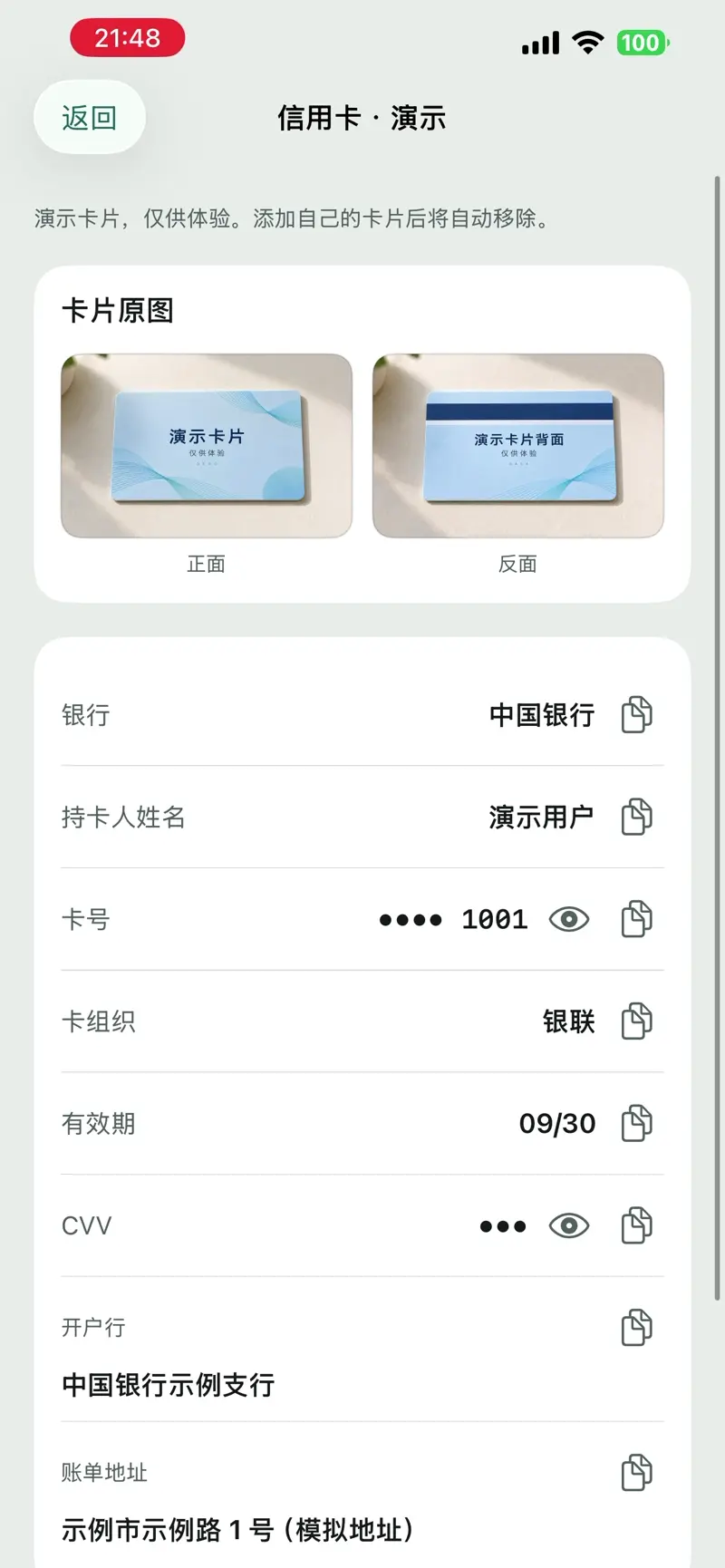
Clearly arranged fields make saved details easy to read and copy, with the original card image close at hand.
Move from a card overview to its details as needed, keeping even information-rich cards organized.
A clean interface with room for your own style.
Choose a background, add images and illustrations, and adjust their position, size, and opacity. Distinct colors and patterns give each card its own character and make it easier to recognize in the stack.
Import a card image and recognize its text on your device. Review and correct the result before saving.
Label images with their intended use, then export the current image or all images. Watermarks label the purpose; they do not prevent copying.
Transfer securely between two phones over a local network. Pair, confirm the transfer, then check the data on your new device.
Card details and images are encrypted locally, with system authentication protecting access. No ads or third-party tracking.
No account is needed. Everyday entry, text recognition, viewing, and search happen on your device. Device transfer requires a local network connection.
Cloud sync is not available. Use in-app transfer while the old phone is still accessible, then verify the result. Do not rely on a full-device backup to completely restore your cards.
CardPouch organizes personal information. It does not replace physical identification or provide bank payments, NFC access-card emulation, or official identity verification.
Deleted cards are normally kept in Recently Deleted for 30 days and can be restored during that time. Afterward, they are removed when the app runs its cleanup.